AeroViz
A modern Python package for aerosol data processing and visualization
Getting started
New to AeroViz? Check out the Beginner's Guide. It contains an introduction to AeroViz's main features and examples to get you started quickly.
User guide
The user guide provides in-depth information on key concepts of AeroViz with detailed explanations of data processing and visualization capabilities.
API reference
The reference guide contains detailed descriptions of the functions, classes, and methods included in AeroViz. It assumes that you have an understanding of the key concepts.

AeroViz
A platform for real-time monitoring, offering data visualization and analytical insights.
Quick Start
Here's a simple example of how to use AeroViz:
from datetime import datetime
from pathlib import Path
from AeroViz import RawDataReader, improve, plot

# Read data from a supported instrument
df_ae33 = RawDataReader(
    instrument='AE33',
    path=Path('/path/to/folder'),
    start=datetime(2024, 1, 1),
    end=datetime(2024, 12, 31)
)

# Post-process with top-level functions (e.g. IMPROVE extinction from
# reconstructed PM mass and RH); see the Guide for the full pipeline.
# result = improve(df_mass, df_RH, method='revised')

# Create visualization (y = column name or list of columns)
plot.timeseries(df_ae33, y='eBC')
For detailed tutorials and examples, see the Getting Started Guide.
Key Features
AeroViz is a comprehensive Python package designed for aerosol data processing and visualization. It provides a unified interface for handling data from various aerosol instruments, performing quality control, and creating publication-ready visualizations.
- Unified Data Interface: Standardized data structures and built-in quality control across multiple instrument types
- Advanced Processing: Customizable processing pipelines with automated corrections and statistical analysis tools
- Publication-Ready Visualization: High-resolution plots with extensive customization options
Documentation
- Installation — base install, the
plotextra, building from source - Getting Started — first read, core concepts
- Data Levels — what the reader did to your data
- Examples — RawDataReader usage, size distribution, optical closure, chemistry, VOC
- API Reference — every function, every instrument
- Changelog
Gallery
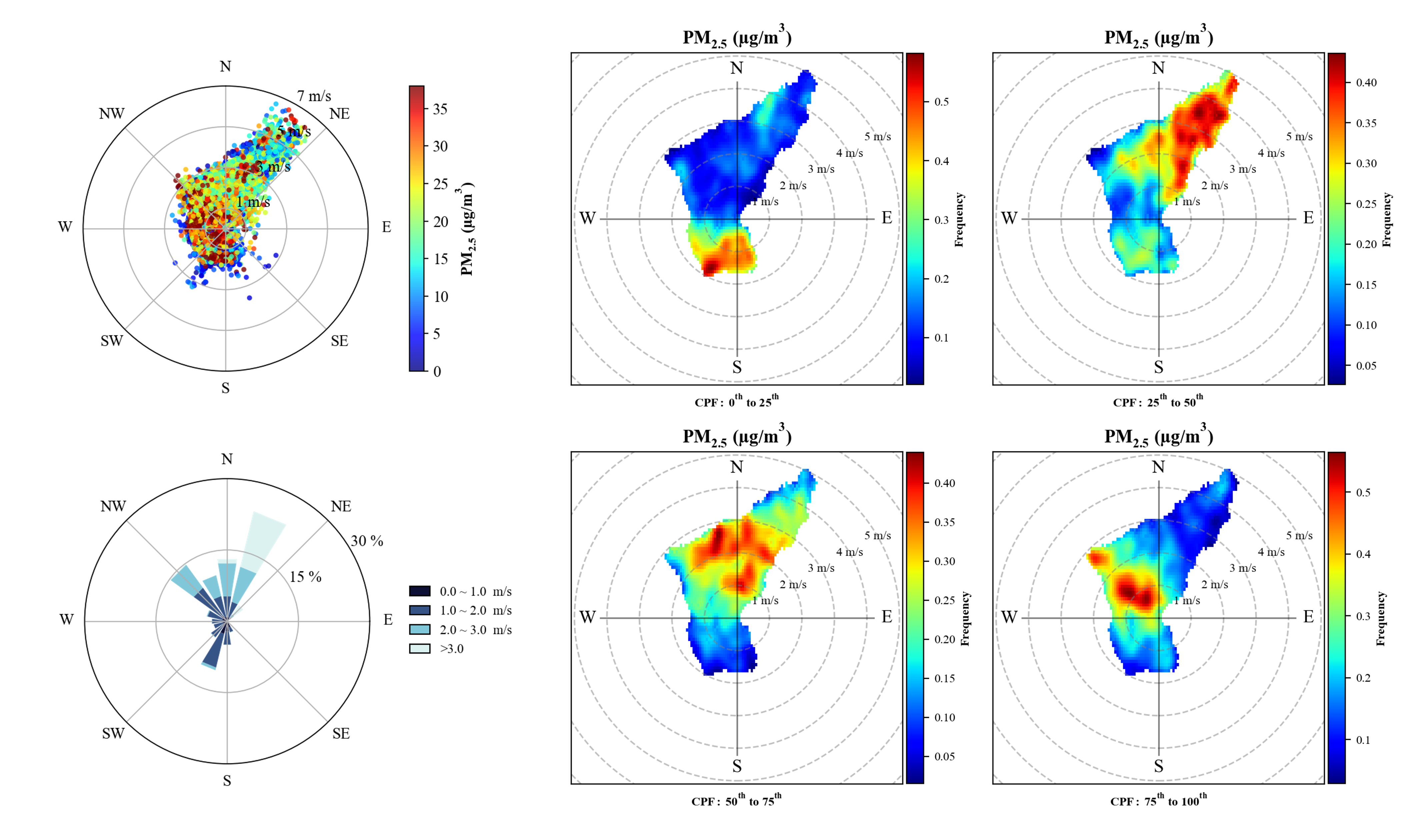
More in the Gallery: regressions, time series, size-distribution heatmaps, correlation matrices, Mie curves.
Contributing
AeroViz is open source (MIT). Bug reports, feature requests and new instrument readers are welcome — see Contributing, and Citation & License if you use it in a publication.